
Smart locks
Lock/unlock and status when compatible—useful with Alarm.com routines. Explore smart locks.
Smart home guide · Ohio
Z-Wave is a wireless protocol used by many smart-home devices—locks, lights, thermostats, and more—to talk to a compatible hub or security panel. In a HomeShield install, Z-Wave is typically a secondary layer that supports security and convenience—not a replacement for sensors and monitoring.
Plain English
Unlike your phone’s Wi-Fi, Z-Wave devices often form a mesh: many devices can help hop signals around the home. That can improve reliability when the network is designed well—but range and compatibility are still model-specific.
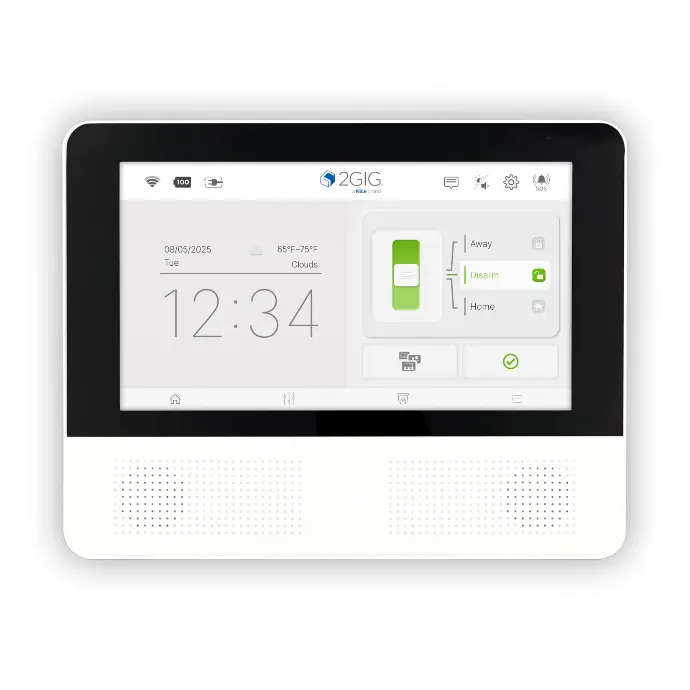
On HomeShield systems built around the 2GIG Edge, compatible Z-Wave devices can be paired for control through the panel and Alarm.com where your plan and device support it. We verify by model rather than promising every accessory works with every system.
Home Shield Alarm is based in Reynoldsburg, Ohio. We treat smart home as a supporting layer—see Z-Wave and smart home service pages for equipment context.
What it controls
Lock/unlock and status when compatible—useful with Alarm.com routines. Explore smart locks.
Scene control and away/home lighting when switches/bulbs/modules are compatible—see smart lighting.
Temperature schedules tied to home/away context where supported—see smart thermostats.
Some homes add compatible controllers for garage or other loads—compatibility must be confirmed per model.
Some environmental or auxiliary sensors use Z-Wave; security intrusion sensors on 2GIG systems follow their own compatibility rules.
Arming-related scenes (lights on when disarming at night, etc.) are where Z-Wave often earns its keep—security first, convenience second.
Tradeoffs
Z-Wave is not a camera protocol and not a substitute for professional monitoring. It does not make an incomplete sensor plan “smart enough.”
Wi-Fi devices and Z-Wave devices solve different jobs. Crowding every gadget onto Wi-Fi can hurt cameras and phones; Z-Wave keeps many automation devices on a separate mesh when designed correctly.
Compatibility is not universal. Frequency regions, security (S2), and panel support matter. We avoid claiming “works with everything.”
A few high-value devices that support how you arm, disarm, and return home.
Buying a cart of random gadgets before the alarm foundation is solid.
Broader automation context: home automation.
HomeShield fit
Primary story remains HomeShield security with 2GIG Edge and Alarm.com. Z-Wave devices are selected to support that story—locks and lighting that make daily use smoother.
Brinks may appear as a secondary system alternative on some jobs; it is not the default Z-Wave narrative.
Serving Ohio communities from Reynoldsburg, we design for real wall materials and multi-story layouts that affect wireless mesh performance—not lab diagrams alone.
Related
Guides explain; service pages detail offerings.
Service page for Z-Wave in HomeShield systems.
Locks, lights, thermostats overview.
Automation layered on security.
Compatible lock options and use cases.
Primary panel that can pair compatible devices.
Ask which devices fit your panel and plan.
FAQ
No. Different protocols. Devices must match what your panel/hub supports.
No. Many excellent HomeShield installs are sensor + monitoring first, with few or no automation devices.
Only models verified for your panel and Alarm.com path. We check compatibility before promising control features.
Compatible devices paired correctly can appear for control/status where the plan supports it. Model-specific—not universal.
No. Keep intrusion detection on proper security sensors; use Z-Wave for convenience devices.
Free consultation
Share which locks, lights, or thermostats you want alongside HomeShield security. We will confirm compatibility by model. Based in Reynoldsburg, Ohio.
Quick quote request
Use Z-Wave to make a solid HomeShield system easier to live with—not to paper over a weak sensor plan.